Highlights
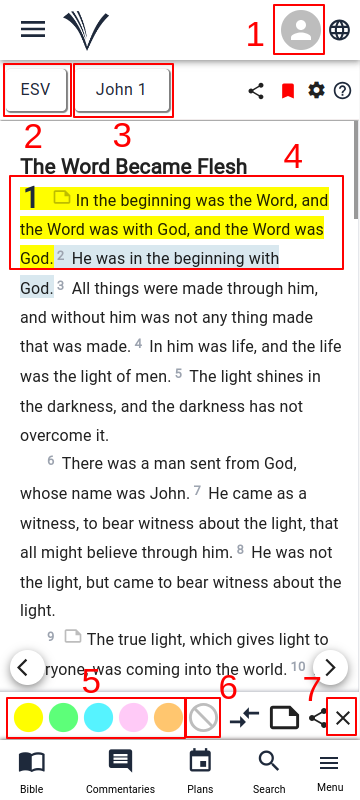
The users must have Signed In to (1) VachanOnline.com to use the Highlights feature. ( See how to Sign In )
The user can select the Bible version (2), Bible book and chapter (3) by using the drop-down menus.
The user can click on any verse they want to highlight (4) and highlight using any of the available colors (5).
The verse will be highlighted for future reference.
To clear the portions highlighted earlier, select the verses (4) and use the clear icon (6) to remove the highlights from the selected verses.
To close the bottom toolbar click the close button (7).
To access the previously highlighted verses, the user has to click on the Drawer Menu on the Study Bible page and select Highlights.
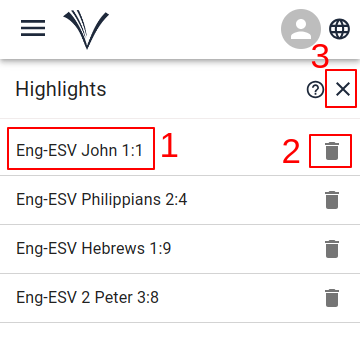
The list of the previously highlighted verses appear.
- The user can select any verse (1) they wish to read.
- The verse that has been selected opens in the Study Bible page.
- The highlighted verse may be deleted if not required (2).
- To return to the Study Bible page, the user must click the close icon (3).