Commentaries
1. Split view
To access the Commentaries the user must click on Commentaries icon (1), from the bottom navigation bar.
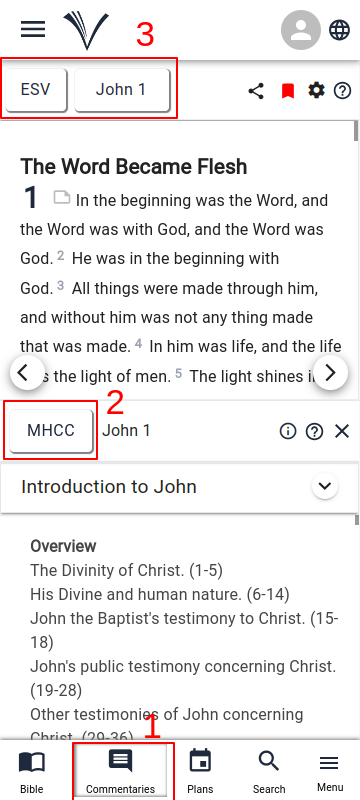
When the page opens, select the Bible in the preferred language and version and choose a book and chapter from the drop-down menu (3).
The preferred commentaries can be chosen from the Commentary drop-down menu (2).
2. Full page View
- The user can access the full page Commentaries view by clicking on the Drawer Menu and selecting Commentaries from the drop-down.
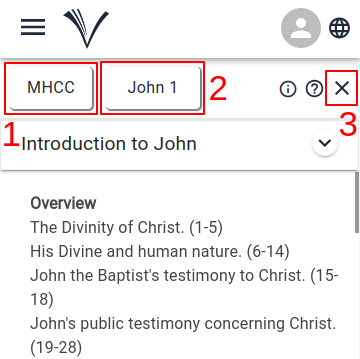
The preferred commentaries can be chosen from the Commentary drop-down menu (1).
The user can select a book and chapter from the drop-down menu (2).
To close the commentaries, click the "Close" button (4).