Sign Language Bible
1. Split view
The user can select the ISLV Bible either from the menu on the Home page or from the drawer menu on the Study Bible page.
The user can select the language, version, book and chapter of the Bible (1).
Next (2) and Previous (3) arrows, can be used to move between chapters.
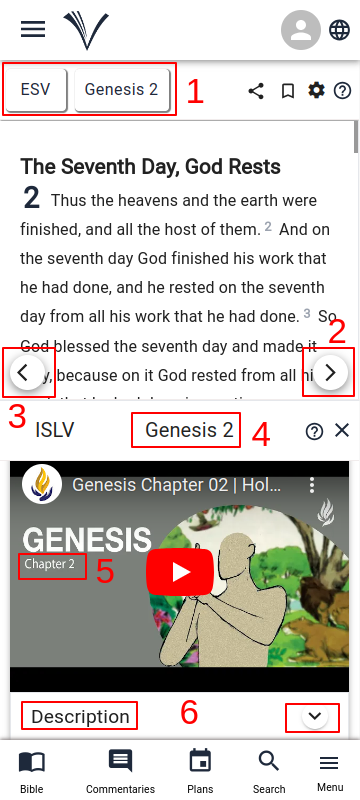
The videos for the selected chapter appear on the bottom pane.
The book and chapter number (4) are displayed at the top of the video.
The video displays the verse number and keywords that appear throughout the video (5).
Video description is accessible by clicking the downward pointing arrow (6).
2. Full page view
The Sign Language Bible can also be accessed from the Drawer Menu by selecting ISLV Bible.
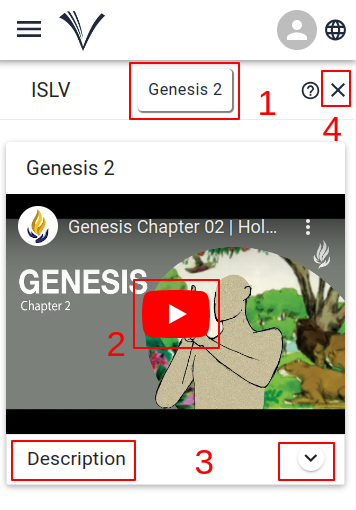
The user can select the book and chapter of the Sign Bible (1).
The videos that are available for the selected chapter are displayed on the screen.
The user can click on the video thumbnail to play the Sign Bible video (2).
Video description is accessible by clicking the downward pointing arrow (3).
The user can click on the close button (4) to close the Sign Bible and go to the Study Bible page.