Dictionaries
To access the Dictionaries the user has to click on the Drawer Menu on the Study Bible page and select Dictionaries.
The Dictionaries can be selected from the Dictionaries drop-down menu (1).
The user can choose the word they want to study from the word drop-down menu (2).
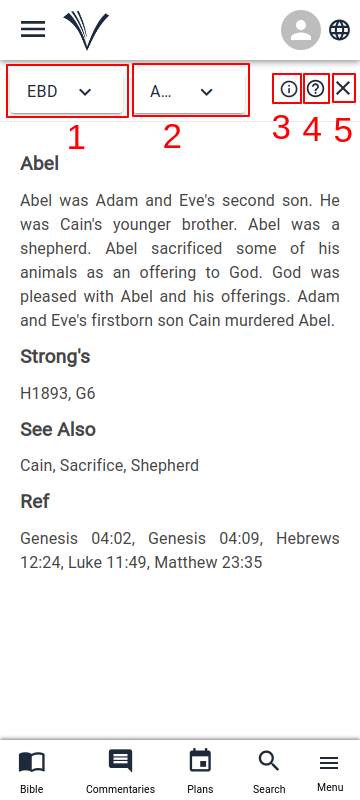
To view more information about the dictionary click on the info icon (3).
Clicking on the help icon (4) allows the user to access the user manual page for dictionaries.
To close the Dictionaries, the user has to click the close button on the top right corner (5).