History
The History feature in VachanOnline allows users to keep track of their past activities and revisit previously accessed chapters.
The History feature automatically keeps a record of the chapters a user has viewed while using the website.
Users can view a list of recently visited Bible content by clicking on the menu(1).

Select the History tab from the options.
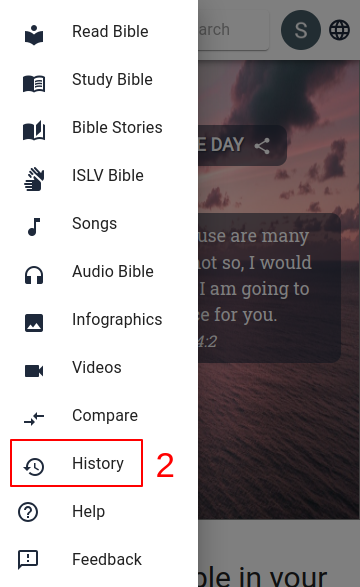
After the History page loads, users can view their browsing history.
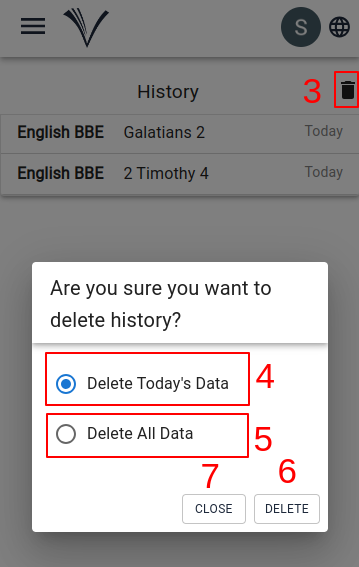
To manage this, they can delete records by clicking the Delete (3) icon. Two options are available: Delete Today's Data (4) or Delete All Data (5). Users can choose the appropriate option and confirm by clicking the Delete button (6). If they decide not to proceed, they can exit the deletion process by clicking the Cancel button (7).