Bookmarks
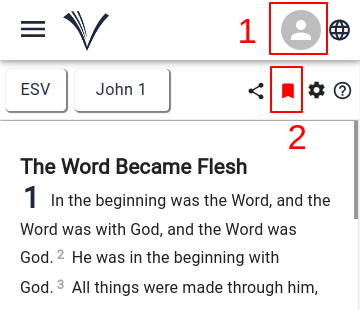
The users must be Signed In to (1) VachanOnline.com to bookmark a chapter. ( See how to Sign In )
The User can click the Bookmarks icon (2) while reading the Bible from the reading pane.
The chapter will be bookmarked for future reference. The Bookmarks icon (2) changes to red, once the chapter has been bookmarked.
To access the previously bookmarked chapters, the user has to click on the Drawer Menu on the Study Bible page and select Bookmarks.
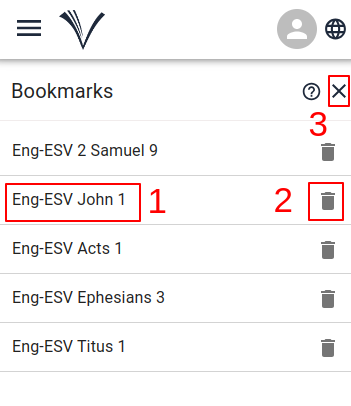
The user can select any reference (1) they wish to continue reading. The reference that has been selected opens in Study Bible page.
The bookmarked chapter may be deleted (2).
The user must click the close icon (3) to close the Bookmarks page and go back to the Study Bible page.