Audio Bible
Audio Bible's page
There's a dedicated page for Oral Bibles designed for languages without a script. The users can access Audio Bible page by clicking on Menu and selecting Audio Bible.
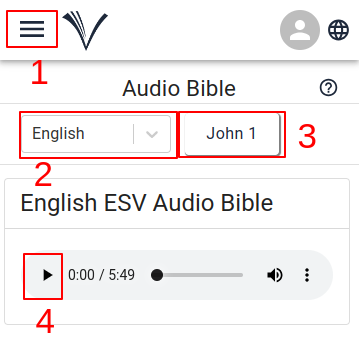
The user must select the Audio Bible from the menu (1)
Select the language (2) and book (3)
To listen to the Audio Bible, the user must click the play button (4)
The user can move between previous (5) and following (6) chapters by clicking on arrows located at the bottom of audio page.
Audio icon
- The Audio icon (1) appears in the menu bar when an Audio Bible is available for the currently selected language.
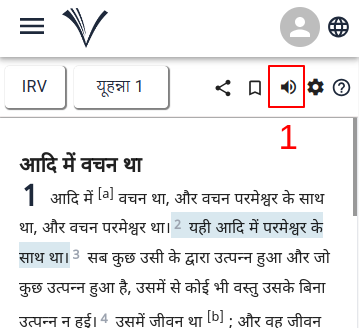
On clicking the Audio icon the Bible audio player opens up.
The user can also access all the available Audio Bibles, on the study Bible page.
The user has to click on the Drawer Menu and Select Audio Bible from the drawer.
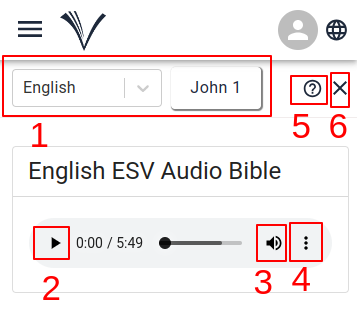
The user can select the language, Bible book and chapter from the drop-down menu (1).
To listen to the Audio Bible, the user must click the play button (2).
The progress bar can be used to go to the desired portion in the chapter. Audio volume can be adjusted using the volume control button(3) and playback speed (4) can be adjusted using the player settings.
Clicking on the help icon (5) allows the user to access the user manual page for Audio.
To close the Audio Bible, the user can click the close button in the top right corner (6).